Real-Time Decibel Meter App

Measure Sound.
Protect Your Hearing.

Turn your phone into a professional-grade sound level meter. Live decibel readings, colour-coded gauge, waveform history, health analysis, and one-tap sharing โ€” completely free.

0โ€“120dB Range
FreeTo Download
10+Languages
dB 0 20 40 60 80 100 120
68.4 dB
Loud
MIN30.6
AVG59.5
MAX90.1
๐ŸŸข 0โ€“40 dB Very Quiet / Quiet
๐ŸŸก 40โ€“70 dB Moderate
๐ŸŸ  70โ€“90 dB Loud
๐Ÿ”ด 90โ€“120 dB Very Loud / Danger

Everything you need to understand sound

๐Ÿ“Š

Live dB Gauge

A real-time speedometer-style gauge sweeps from green through yellow, orange, and red as sound levels rise. Instantly see whether you're in a safe or dangerous noise environment.

๐Ÿ“ˆ

Live Waveform Graph

A continuously updating waveform chart plots every second of audio. Watch noise patterns unfold in real time โ€” colour-coded green for quiet, amber for moderate, red for danger.

๐Ÿ“‹

MIN / AVG / MAX Stats

Three live statistics track the quietest, average, and loudest readings of your session simultaneously. Know your full noise exposure at a glance.

๐Ÿฉบ

Health & Safety Analysis

Every saved measurement gets a full health assessment. The app tells you whether the sound level is safe, flags extended exposure risks, and classifies your environment (Library, Office, Street, Concert, etc.).

๐Ÿ’พ

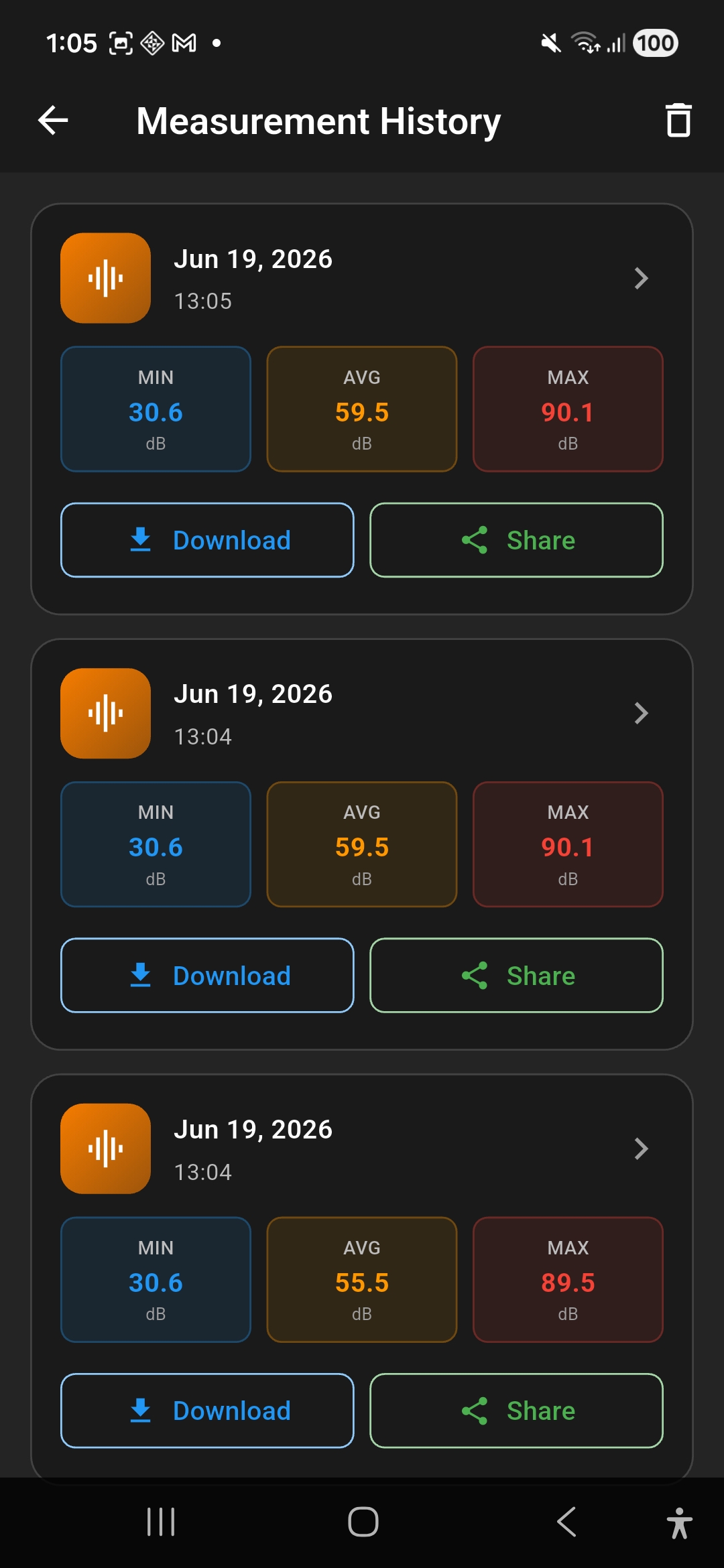
Measurement History

Every recording is saved with its date, time, duration, and MIN/AVG/MAX stats. Browse your history, view detailed analysis for any session, download results, or share them.

๐Ÿ“ค

Download & Share

Export any measurement directly from the history screen. Share results as a file or send them to colleagues, doctors, or landlords to document noise issues.

๐ŸŽฏ

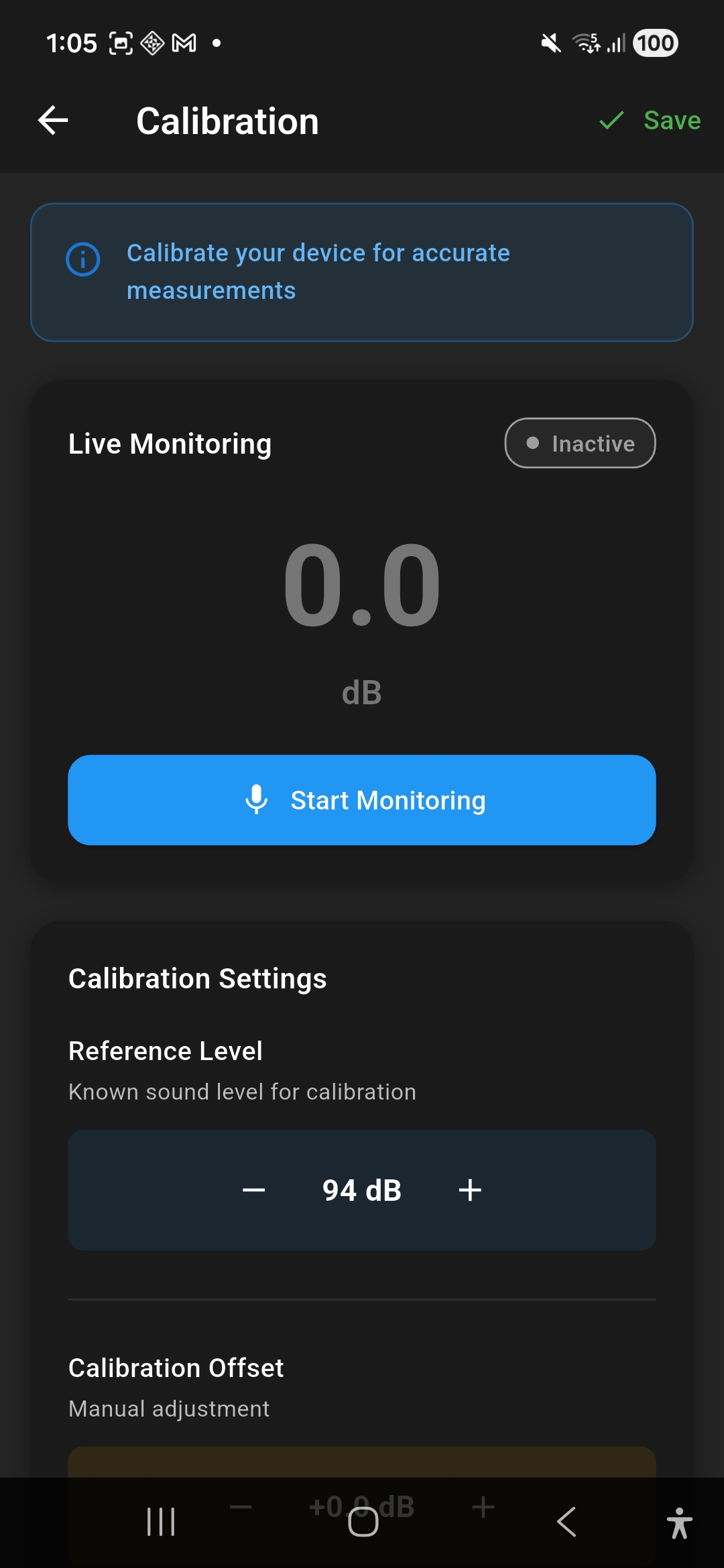
Microphone Calibration

Set a known reference level (default 94 dB) and apply a manual offset to calibrate your device's microphone for more accurate professional-grade readings.

๐ŸŒ

10+ Languages

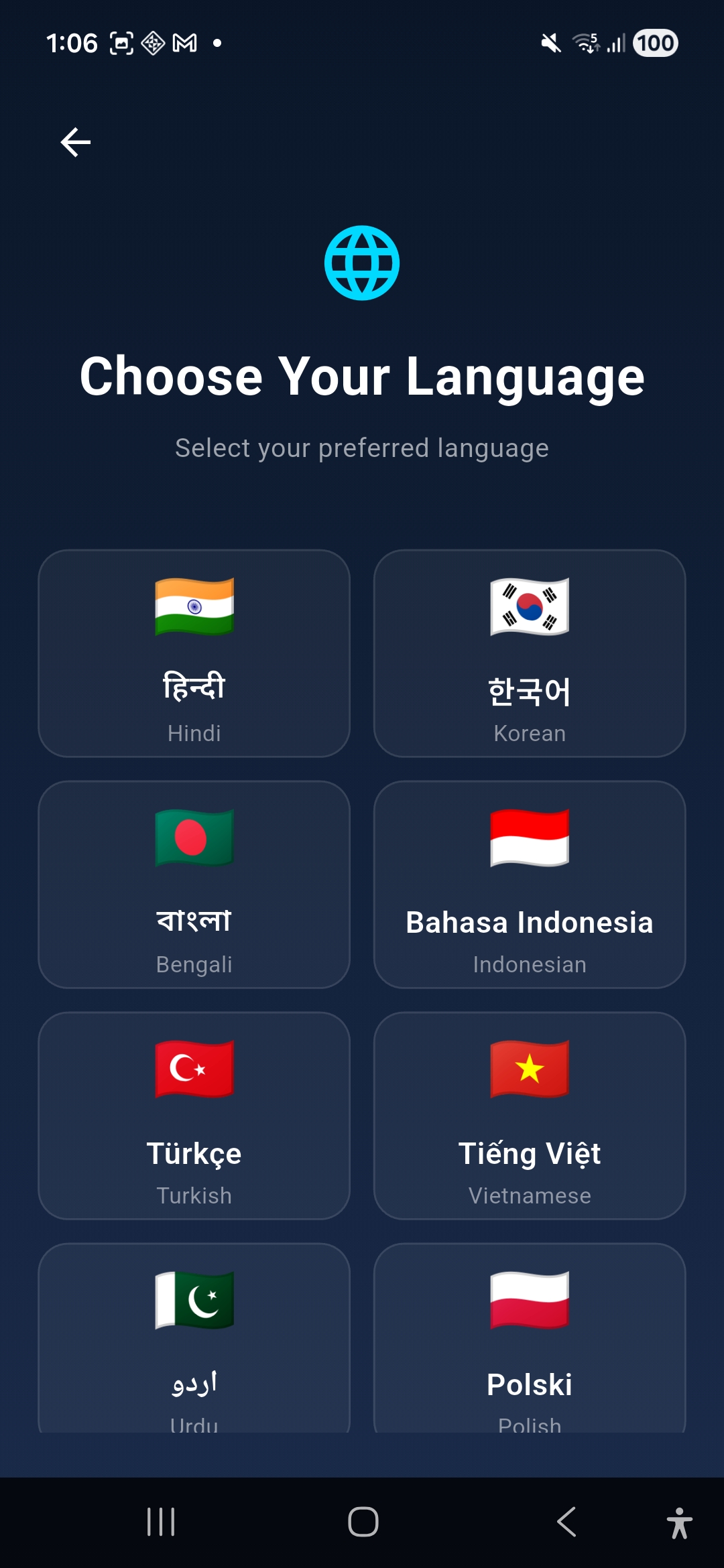
Available in English, Hindi, Korean, Bengali, Indonesian, Turkish, Vietnamese, Urdu, Polish, and more โ€” so everyone can measure sound in their own language.

Open the app.
Instant readings.

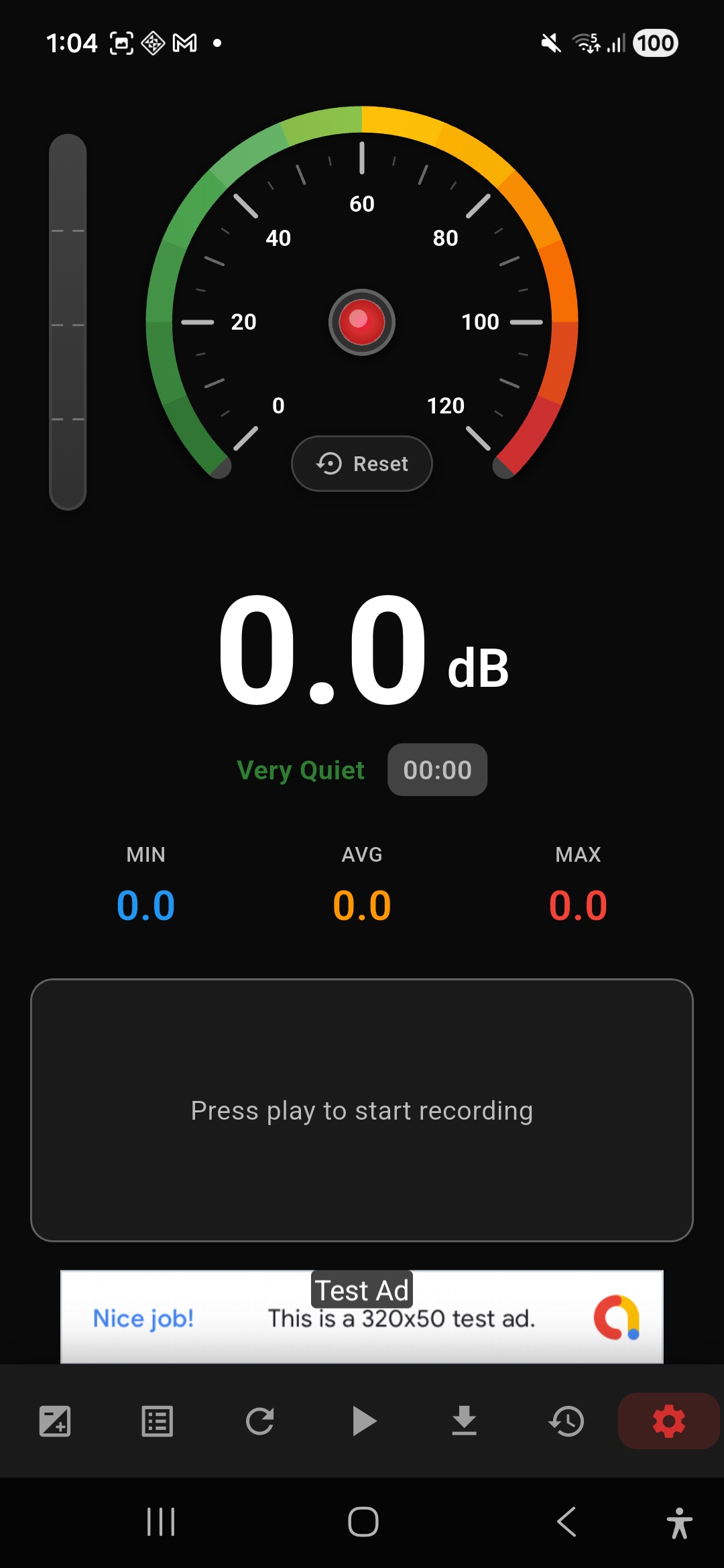
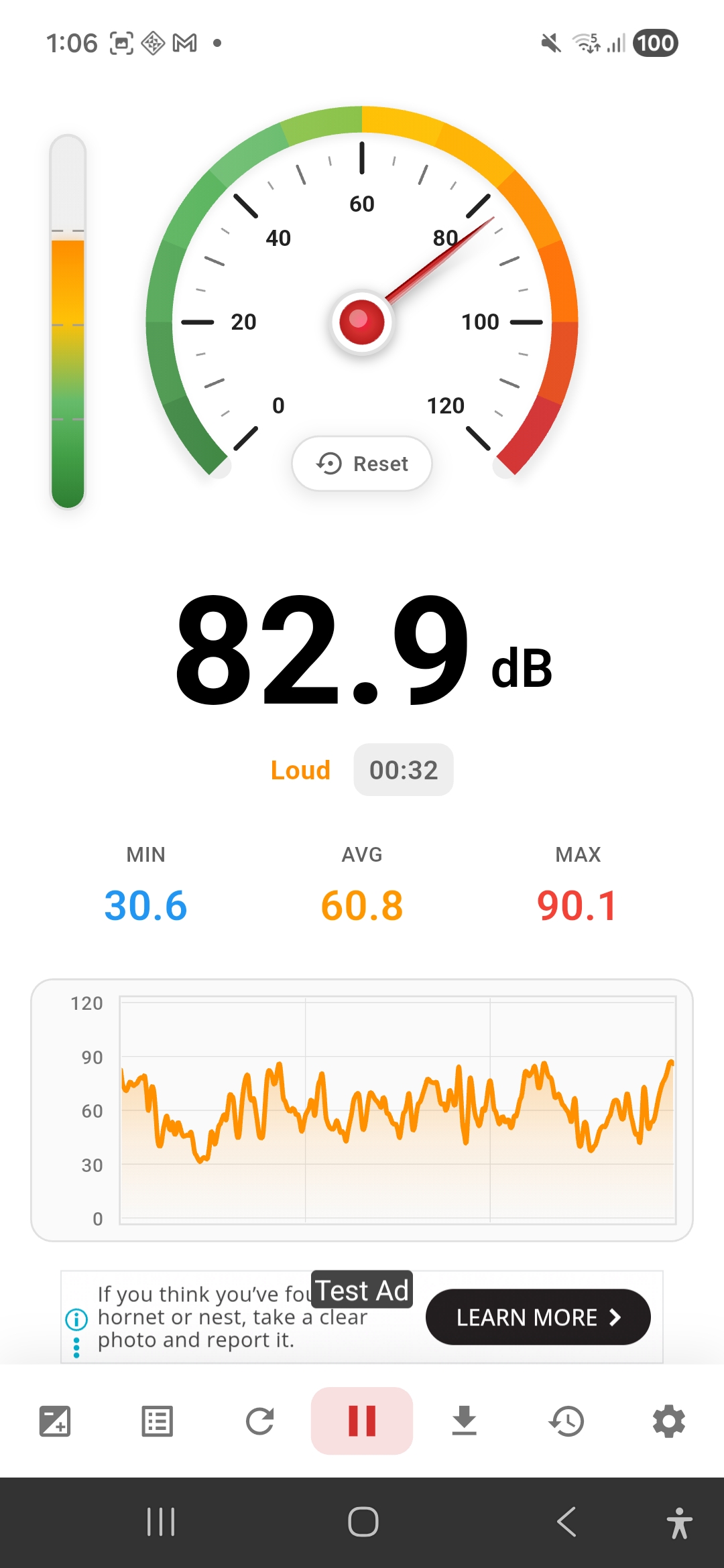
The moment you press play, Sound Meter Pro starts capturing decibels from your phone's microphone. The needle moves in real time, the level bar pulses on the side, and the waveform graph begins building below.

  • Speedometer gauge from 0โ€“120 dB
  • Side-bar VU level meter for quick glance
  • Live timer shows session duration
  • Colour-coded label: Very Quiet โ†’ Loud โ†’ Danger
  • Tap Reset anytime to clear session stats
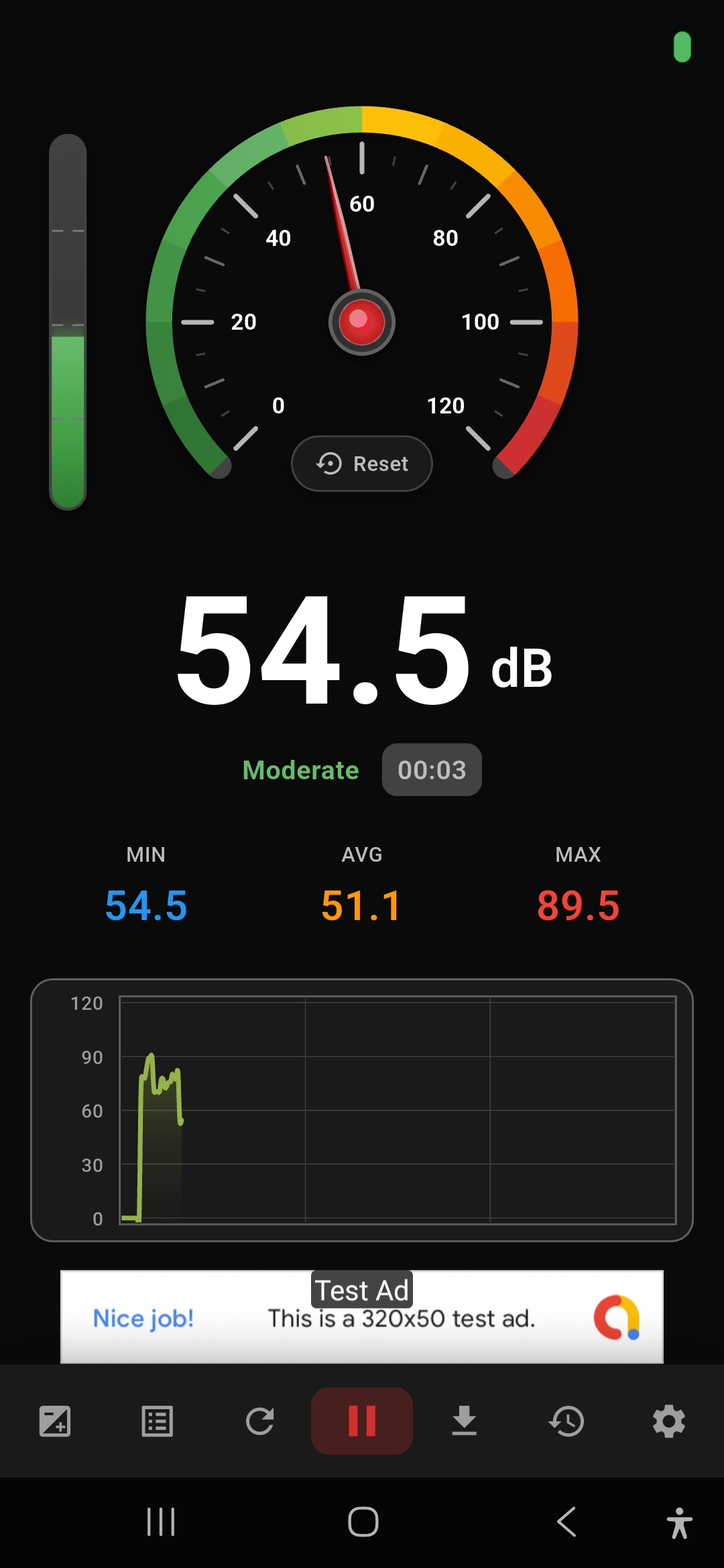
Sound Meter Pro live reading showing 54.5 dB Moderate with gauge and waveform graph
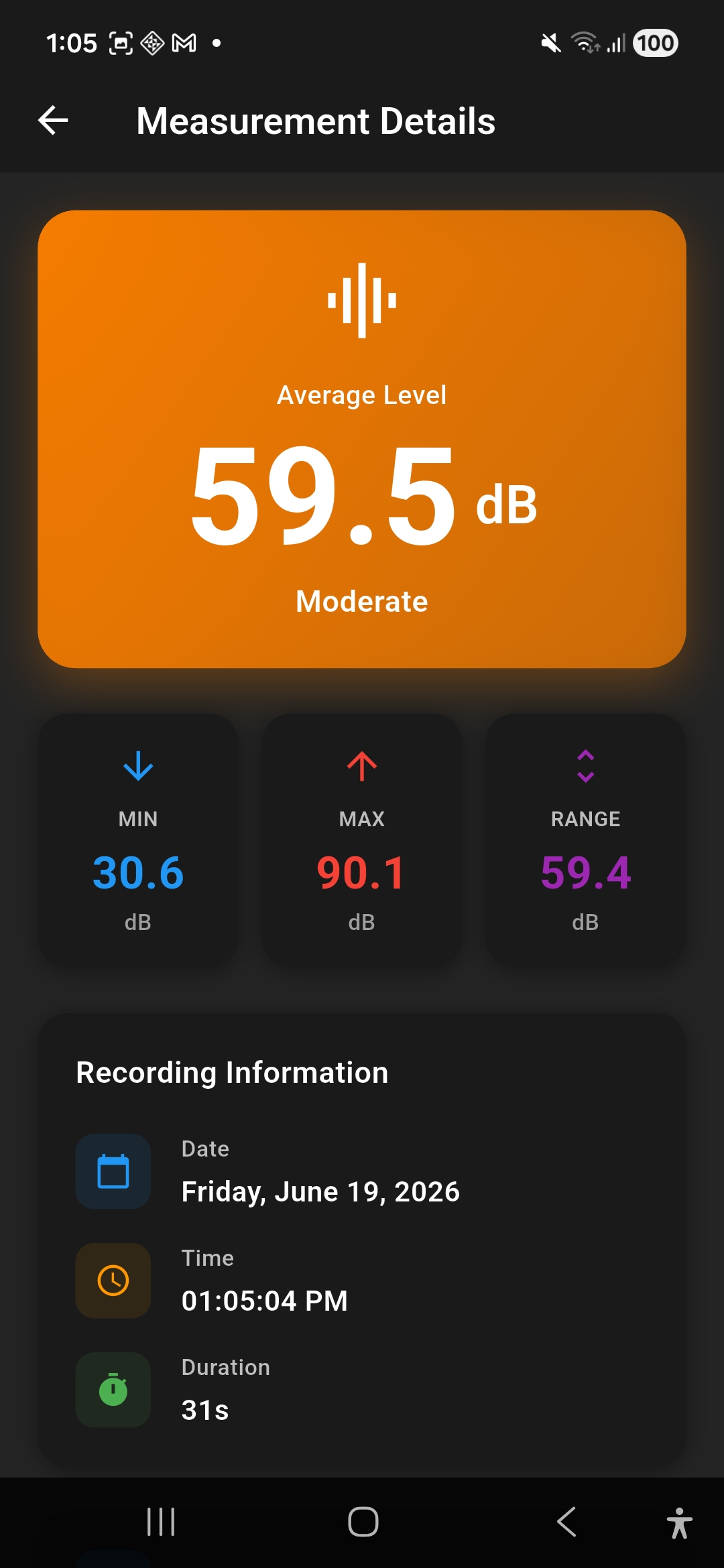
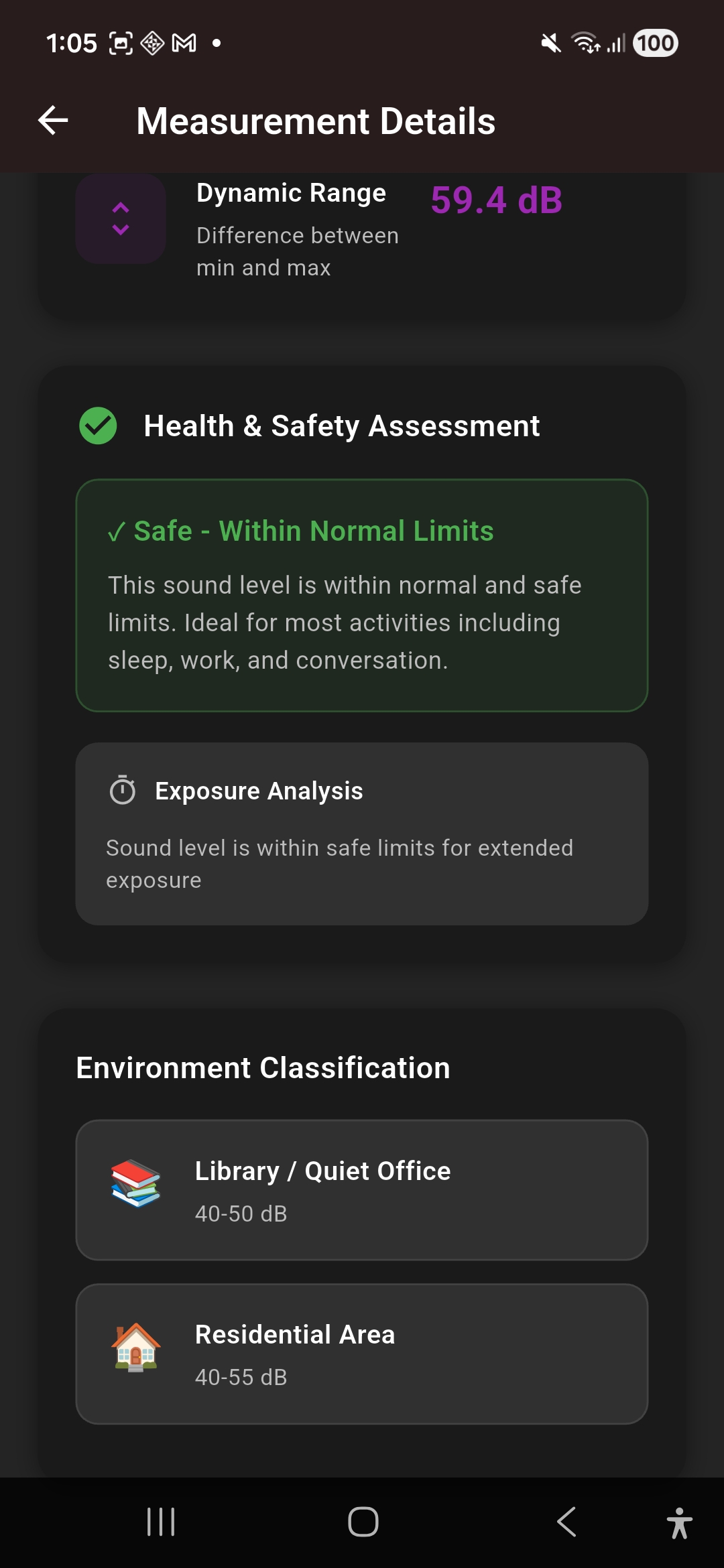
Sound Meter Pro measurement details showing 59.5 dB average with MIN MAX RANGE stats

Full session
breakdown.

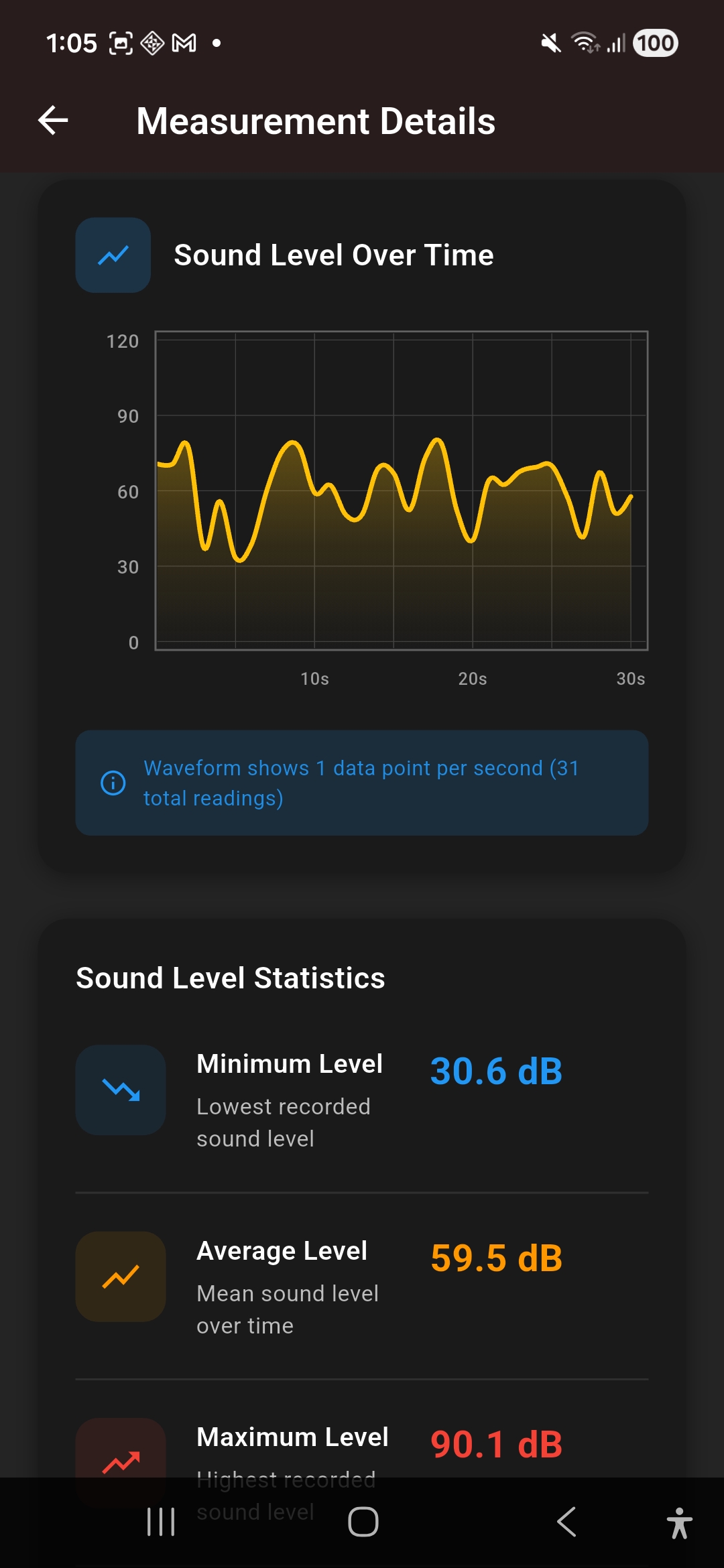
Tap any saved recording to see a complete breakdown: average level, dynamic range, date, time, and duration โ€” all in one clear screen.

  • Average Level displayed prominently in colour
  • MIN, MAX, and dynamic RANGE values
  • Recording date, time, and total duration
  • Sound Level Over Time waveform chart
  • Data point count (1 reading per second)

See every screen

Know when sound
becomes harmful.

Sound Meter Pro doesn't just measure โ€” it interprets. After every recording, the app gives you a plain-English health and safety verdict with environment classification, so you always know what the numbers mean for your wellbeing.

โœ“ Safe โ€“ Within Normal Limits Ideal for sleep, work, and conversation. Safe for extended exposure.
โš  Moderate โ€“ Use Caution Consistent exposure may cause fatigue. Limit extended sessions.
โœ• Danger โ€“ Protect Your Hearing Above 85 dB risks hearing damage. Use protection immediately.
Health and safety assessment showing safe within normal limits with environment classification Library Office

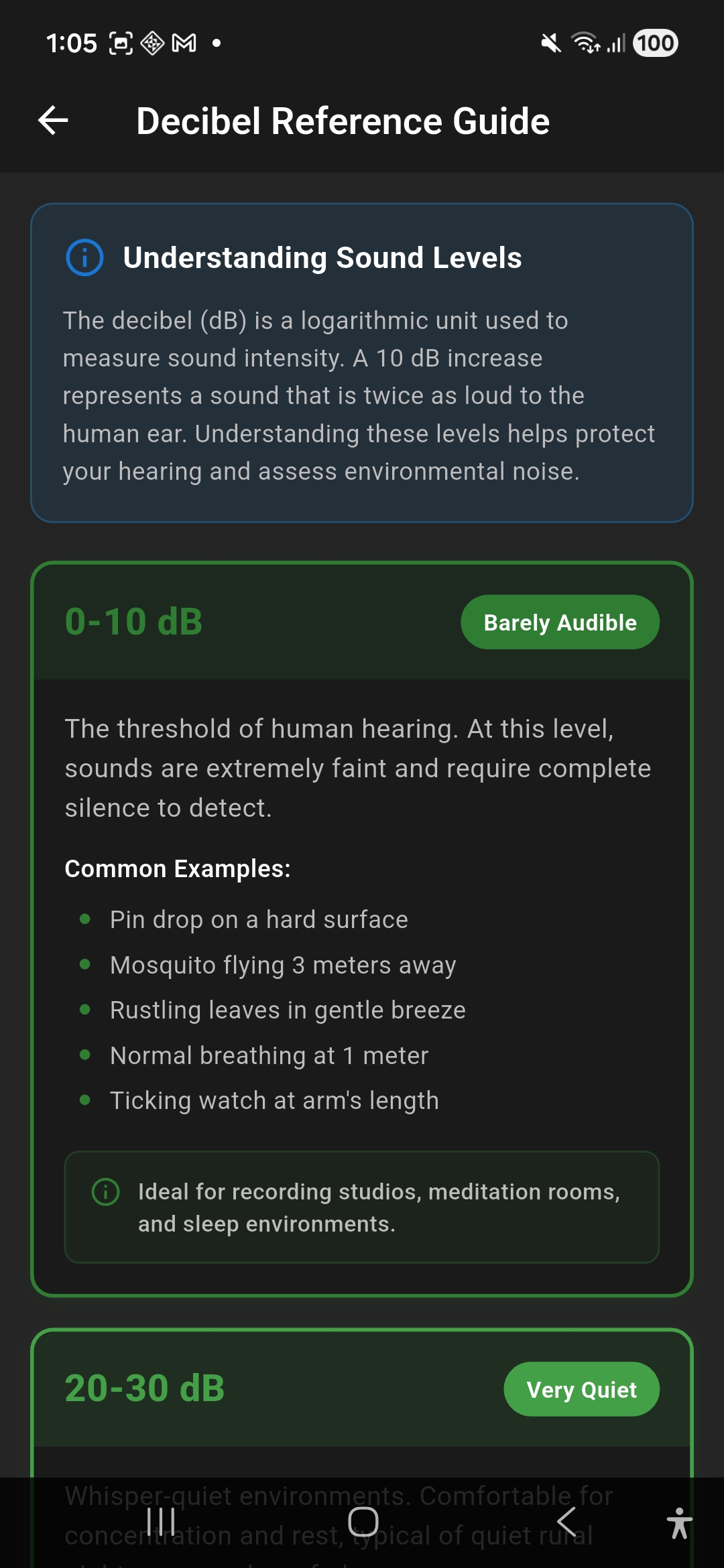
What does your dB reading mean?

The decibel scale is logarithmic โ€” a 10 dB increase sounds twice as loud to the human ear. Here's your quick reference guide, built right into the app.

0โ€“10 dB
Barely Audible

The threshold of human hearing. Pin drop, rustling leaves, normal breathing at arm's length.

20โ€“30 dB
Very Quiet

Whisper-quiet environments. Recording studios, meditation rooms, deep countryside.

40โ€“50 dB
Quiet

Library, quiet office, light rainfall. Comfortable for concentration and rest.

55โ€“65 dB
Moderate

Normal conversation, background music, open-plan office. Safe for long-term exposure.

70โ€“80 dB
Loud

Busy street, vacuum cleaner, alarm clock. Begin to limit prolonged exposure.

85โ€“120 dB
Danger Zone

Power tools, concerts, jet engines. Risk of permanent hearing damage without protection.

Measurement history showing multiple saved sessions with MIN AVG MAX and Download Share buttons

Save every reading.
Share anywhere.

Your entire measurement history is stored and organised by date and time. Each entry shows MIN, AVG, and MAX at a glance โ€” tap through for the full waveform and health report.

  • Auto-saved after every recording session
  • Browse all past measurements chronologically
  • Download individual sessions as files
  • Share directly to email, WhatsApp, or any app
  • Useful for noise complaints, health records, or work

Speak your language

Sound Meter Pro works for everyone, worldwide. Choose your language on first launch and the entire app adapts instantly.

๐Ÿ‡บ๐Ÿ‡ธ English
๐Ÿ‡ฎ๐Ÿ‡ณ Hindi
๐Ÿ‡ฐ๐Ÿ‡ท Korean
๐Ÿ‡ง๐Ÿ‡ฉ Bengali
๐Ÿ‡ฎ๐Ÿ‡ฉ Indonesian
๐Ÿ‡น๐Ÿ‡ท Turkish
๐Ÿ‡ป๐Ÿ‡ณ Vietnamese
๐Ÿ‡ต๐Ÿ‡ฐ Urdu
๐Ÿ‡ต๐Ÿ‡ฑ Polish
+ More

Calibrate for
accurate results.

Every phone microphone is slightly different. Sound Meter Pro includes a full calibration screen where you can set a known reference level and apply a manual offset to match your device to professional sound level meters.

  • Set reference level (default: 94 dB)
  • Apply manual ยฑdB calibration offset
  • Live monitoring during calibration
  • Save calibration settings persistently
  • Widely used 94 dB calibration standard supported
Microphone calibration screen with 94 dB reference level and start monitoring button
Sound Meter Pro app icon

Start measuring right now.

Free to download. No sign-up required. Works on any Android device with a microphone.

GET IT ONGoogle Play
โœ… Free โœ… No Sign-Up โœ… Works Offline โœ… 10+ Languages